
aligner treatment simulation software
Aligner Treatment Simulation Software: What It Is and Why Aligner Labs Need It
What aligner treatment simulation software does, how it turns treatment plans into 3D simulations, and what aligner labs should look for before choosing one.
· 2 min read · DentoSim
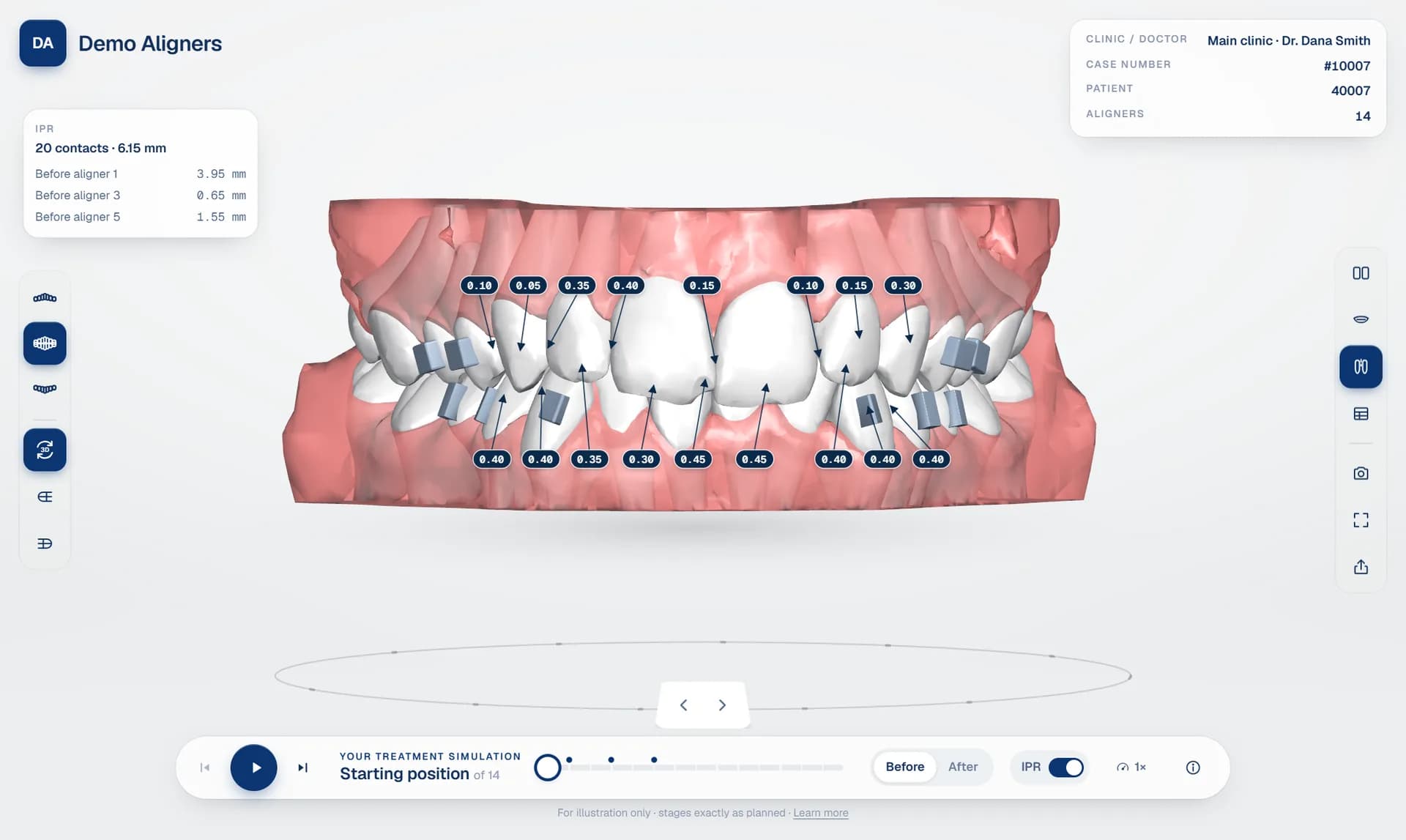
Every clear aligner case starts as a digital treatment plan: a sequence of stages that moves each tooth a small, planned distance from the starting position to the final result. The plan lives inside the treatment planning software used by the lab or the planner. The challenge is everyone outside that software: the doctor who must approve the plan, and the patient who has to understand it and say yes.
Aligner treatment simulation software closes that gap. It takes the exported treatment plan and turns it into an interactive 3D simulation that anyone can open, without the planning software, without a powerful workstation and without training.
What aligner treatment simulation software does
At its core, a clear aligner simulation platform does three things. It reads the export from the planning software, recognising which file belongs to which stage and which jaw. It builds a lightweight 3D package that a browser can load quickly. And it presents the plan in a viewer that shows every stage, every movement and the details that matter clinically.
Good simulation software also separates the parts of each model (teeth, gums and attachments), so the viewer can animate teeth smoothly from one aligner to the next instead of flicking between static models.
Why aligner labs need it
- Faster doctor approval. A doctor who can open the plan on a phone between patients approves sooner than one waiting for screenshots or a video.
- Fewer misunderstandings. When the doctor sees IPR, attachments and tooth movements in 3D, change requests are specific instead of vague.
- Better patient conversations. A before and after simulation helps patients picture the result, which is often what turns a consultation into a treatment.
- A professional brand. Labs that send a branded, interactive link look more established than labs that send a zip file.
Features to look for
When you compare aligner lab software, check these points:
- Compatibility with your planning software. The best platforms recognise exports from the top treatment planning software automatically, and accept staged STL, OBJ, PLY or 3MF files for everything else.
- A browser-based 3D viewer. Doctors and patients should not have to install anything. Read our guide on choosing a 3D aligner treatment viewer.
- Clinical detail. IPR values at each contact, attachments, and the tooth movement table from the plan. See IPR visualisation and the tooth movement table explained.
- Doctor approval built in. Approval, change requests and chat should live next to the 3D plan, not in email. More in doctor approval for aligner labs.
- White label. Your logo, colours and domain, so the simulation is part of your brand. See white label aligner viewer.
- Security. Private patient links with an optional PIN and expiry, roles for your team and an audit log.
How DentoSim approaches it
DentoSim is aligner treatment simulation software built specifically for aligner labs and aligner brands. You upload the plan exported from your planning software, DentoSim processes it automatically, and you get a 3D simulation that the doctor can review and approve, and the patient can open from WhatsApp, a link or a QR code.
Every lab starts with free cases, so you can test it on real treatment plans before paying anything. After that, pricing is per processed case. Register your lab to try it.
Frequently asked questions
Is aligner treatment simulation software the same as treatment planning software?
No. Treatment planning software is where the plan is designed. Simulation software takes the finished plan and presents it as an interactive 3D simulation for doctors and patients.
Do patients need to install an app to see the simulation?
Not with a browser-based viewer. The patient opens a link on their phone and the simulation runs in the browser.
See it on your own treatment plans
DentoSim turns aligner treatment plans into 3D simulations for doctors and patients, under your lab's brand.